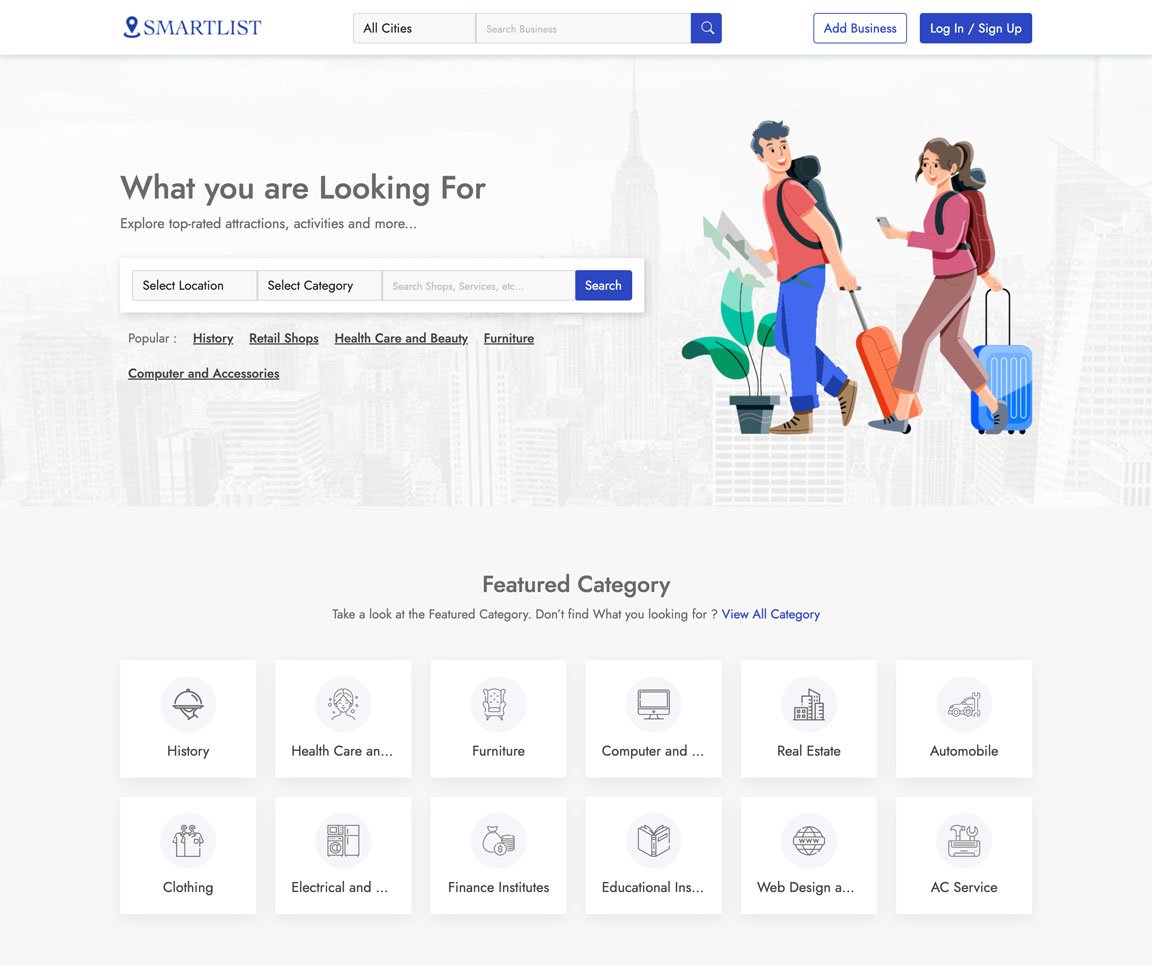
Take a look at some of the key features of the application
Easily Customization everything with our admin panel
We ensure fast loading with most advanced technology
We have the best value for money plan in the market
All you images and assets are securely stored in cloud
We use cutting edge Technology to ensure best experience
We ensure 100% satisfaction for all our customers
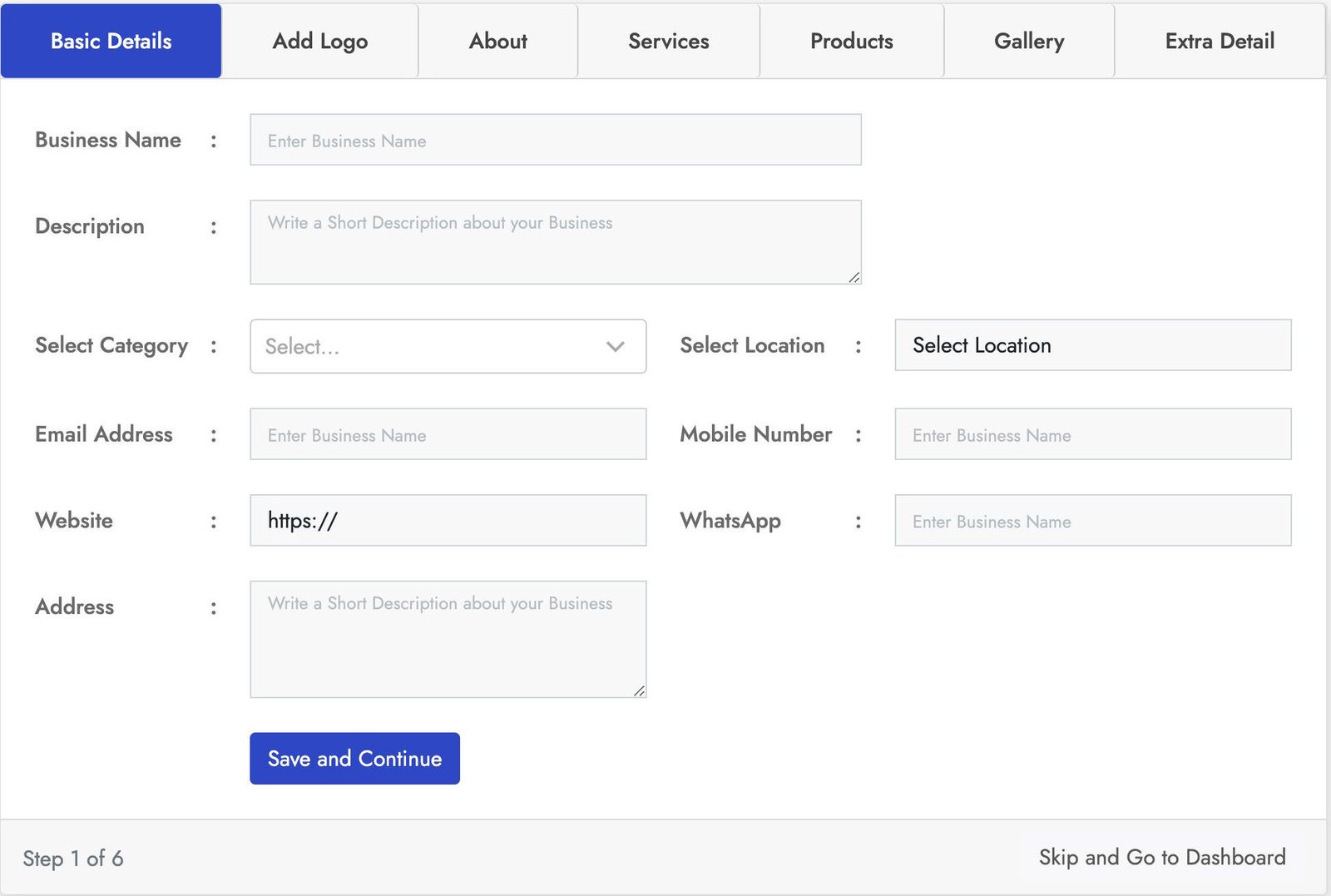
Stylish login form with lot of key features. This Business registration for has seven sections Basic Details, Add logo, About, Products, Services, Gallery, Extra Details.
You can crop the user image for best fit. You can add business services using service section and also you can add products of the business using the product section using the product section. With the gallery section you can add images to the business also you can add more details using the Extra Details.
Stylish login form with lot of key features. This Business registration for has seven sections Basic Details, Add logo, About, Products, Services, Gallery, Extra Details.
You can crop the user image for best fit. You can add business services using service section and also you can add products of the business using the product section using the product section. With the gallery section you can add images to the business also you can add more details using the Extra Details.
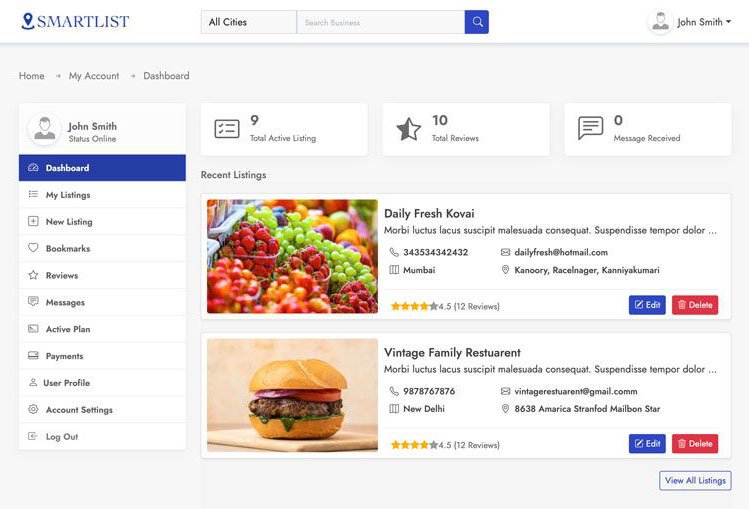
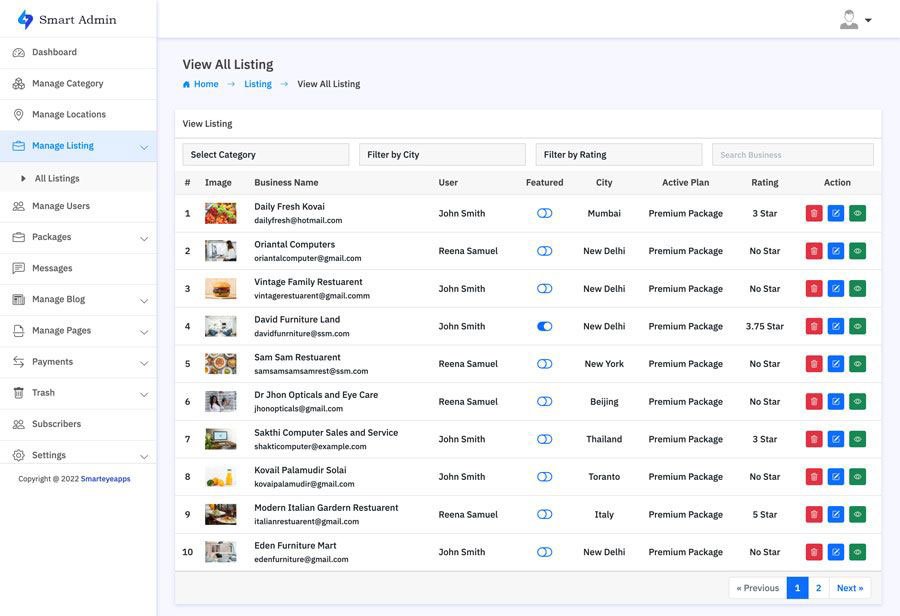
This is one of the best and easy to use admin panel. In the admin dashboard you will find all the most important information. With the manage business section you can manage all the business and also you can block all and restore users.
In the the Manage Review section you can manage all the use reviews and also you can remove and restore users. You can also create your own packages based on you business plan. With the transaction section track all the successful an un successful transactions. You can also manage category, location, Reviews, Messages, Subscribes and much more.
Smart Directory is also available on Codester
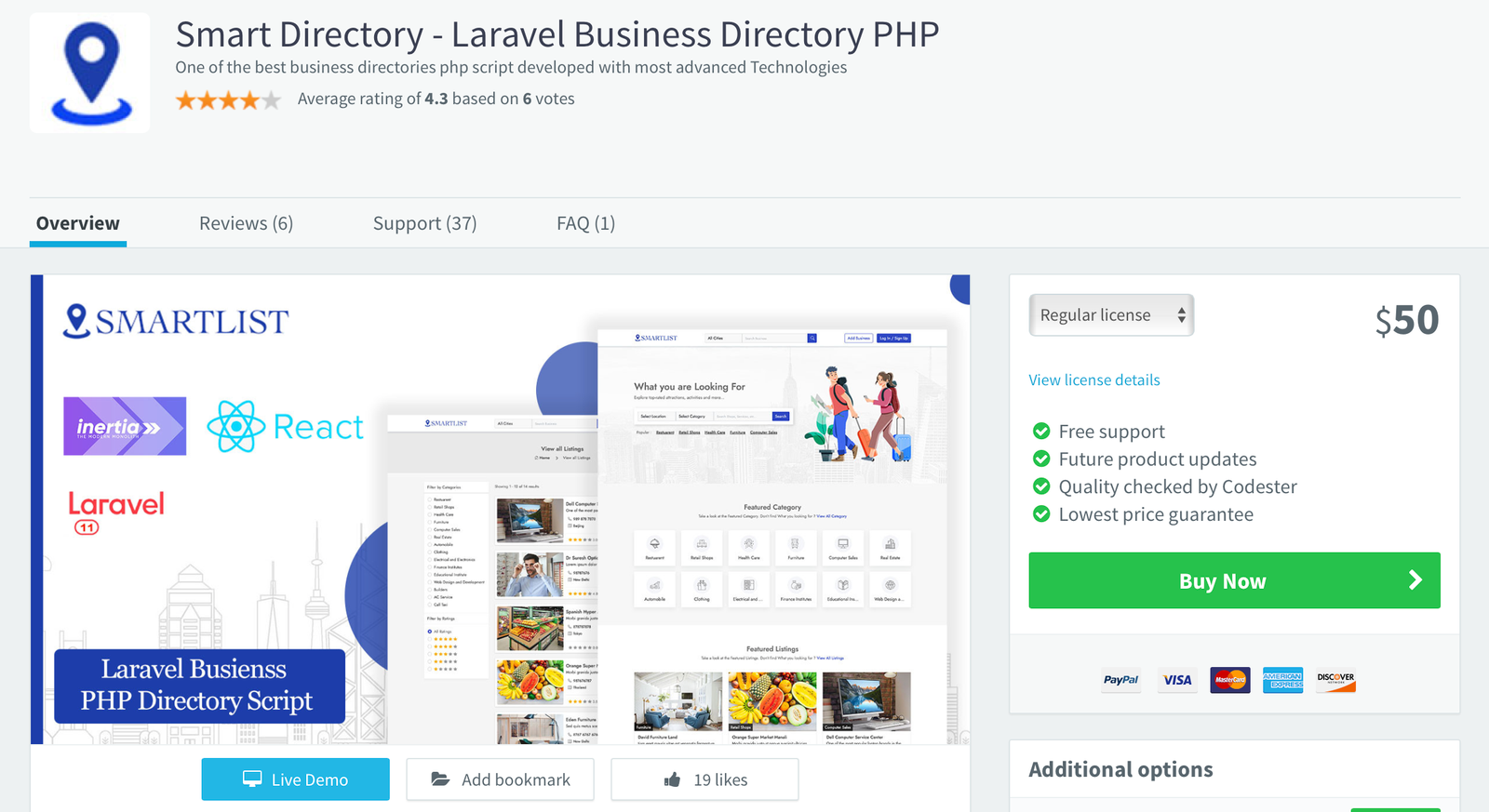
For users who prefer a trusted marketplace, Smart Directory is also available on Codester. If you don’t want to purchase directly from our website or are unsure about buying from an unfamiliar source, you can safely get it from Codester with full buyer protection and secure payment options.
We’ve been an active seller on Codester since 2018, building a strong customer base with reliable scripts and trusted support. So, if you prefer to purchase through a secure and well-known marketplace, you can confidently get Smart Directory from Codester with full buyer protection and safe payment options.
: You can create multiple selection boxes if there are several logos or unwanted objects in different parts of the frame.
Need to remove a logo from a video clip fast? The tool is a free, browser-based lifesaver. No software downloads, no steep learning curves—just upload, select the area, and let the tool do the rest. Perfect for clearing timestamps, old channel branding, or watermarks from screen recordings. Try it out directly in your browser today!
You cannot remove the 123apps logo on the free plan. Either upgrade to their Pro version or switch to an alternative tool. 123apps remove logo
Struggling with unwanted branding on your footage? The 123apps Remove Logo tool provides a seamless way to delete watermarks from video files for free. Compatible with all major formats including MP4, AVI, and MOV, this online tool removes overlays without compromising video quality. Whether you need to erase a timestamp, a channel logo, or a copyright watermark, 123apps offers a one-click solution that works on Windows, Mac, and Linux without installation. Clean up your digital assets today with the most accessible logo remover on the web.
Adjust the box size to cover the watermark as precisely as possible to minimize blurring. : You can create multiple selection boxes if
Overlays: Use the Add Image tool to place your own logo or a graphic element directly over the unwanted watermark. This is a professional-looking way to "hide" a logo while simultaneously branding your own content. Is it Free to Remove Logos?
If your goal is to remove an existing logo or watermark from a video file you uploaded, 123apps provides a specific tool for this called "Remove Logo from Video." Here is the step-by-step process: You cannot remove the 123apps logo on the free plan
At its core, 123apps is a comprehensive website with numerous audio, video, document, and conversion tools. In the following secti... DemoCreator 123 Apps | Teacher Education Resource Hub - Scarfe Sandbox With 123 Apps you don't need to download anything onto your computer, they are free, and they can be used on any device connected ... Scarfe Sandbox 6 sites How to remove a logo or watermark from a video. Oct 19, 2022 —
By using these built-in features, you can effectively manage watermarks and ensure your videos look clean and professional using nothing but your web browser.
If you have a video clip marred by an unwanted watermark, timestamp, or brand logo, the tool offers a quick and accessible solution. As part of the popular 123apps video editing suite, this web-based tool allows users to delete static overlays without requiring complex software like Adobe After Effects.
: It works with a variety of popular formats, including MP4, MOV, AVI, and WMV. Web Apps by 123apps - Edit, Convert, Create
: You can create multiple selection boxes if there are several logos or unwanted objects in different parts of the frame.
Need to remove a logo from a video clip fast? The tool is a free, browser-based lifesaver. No software downloads, no steep learning curves—just upload, select the area, and let the tool do the rest. Perfect for clearing timestamps, old channel branding, or watermarks from screen recordings. Try it out directly in your browser today!
You cannot remove the 123apps logo on the free plan. Either upgrade to their Pro version or switch to an alternative tool.
Struggling with unwanted branding on your footage? The 123apps Remove Logo tool provides a seamless way to delete watermarks from video files for free. Compatible with all major formats including MP4, AVI, and MOV, this online tool removes overlays without compromising video quality. Whether you need to erase a timestamp, a channel logo, or a copyright watermark, 123apps offers a one-click solution that works on Windows, Mac, and Linux without installation. Clean up your digital assets today with the most accessible logo remover on the web.
Adjust the box size to cover the watermark as precisely as possible to minimize blurring.
Overlays: Use the Add Image tool to place your own logo or a graphic element directly over the unwanted watermark. This is a professional-looking way to "hide" a logo while simultaneously branding your own content. Is it Free to Remove Logos?
If your goal is to remove an existing logo or watermark from a video file you uploaded, 123apps provides a specific tool for this called "Remove Logo from Video." Here is the step-by-step process:
At its core, 123apps is a comprehensive website with numerous audio, video, document, and conversion tools. In the following secti... DemoCreator 123 Apps | Teacher Education Resource Hub - Scarfe Sandbox With 123 Apps you don't need to download anything onto your computer, they are free, and they can be used on any device connected ... Scarfe Sandbox 6 sites How to remove a logo or watermark from a video. Oct 19, 2022 —
By using these built-in features, you can effectively manage watermarks and ensure your videos look clean and professional using nothing but your web browser.
If you have a video clip marred by an unwanted watermark, timestamp, or brand logo, the tool offers a quick and accessible solution. As part of the popular 123apps video editing suite, this web-based tool allows users to delete static overlays without requiring complex software like Adobe After Effects.
: It works with a variety of popular formats, including MP4, MOV, AVI, and WMV. Web Apps by 123apps - Edit, Convert, Create